How to List on Airbnb and Vrbo: 3 Setup Routes and 13 Tips
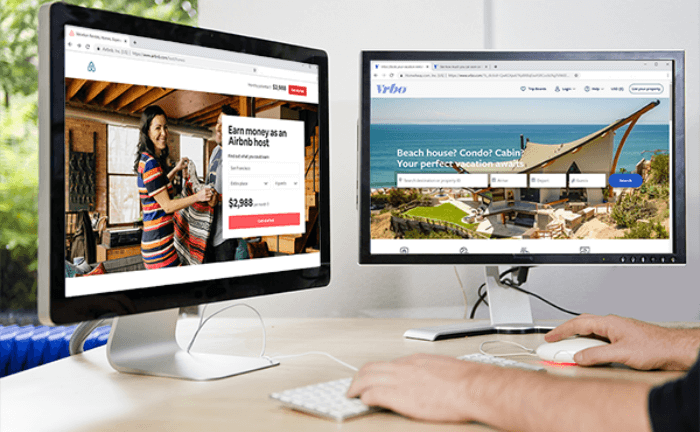
You can list the same whole home on Airbnb and Vrbo at the same time. Prepare both listings, keep the dates closed while you set up, connect the two calendars, and open bookings only after both show the same reservations. Vrbo takes whole properties only, so a spare room stays on Airbnb.Last reviewed 13 November 2026 by Rustam Timkanov, iGMSiGMS, a vacation rental PMS and channel manager, publishes this guide for hosts adding a second channel.Start your 14-day free trialHow to list on Airbnb and Vrbo: three setup routesListing on Airbnb and Vrbo starts from one of three places. Find yours in the table, then follow that route. Where you areStart withKeep closed until checkedWhole home, no listing yetPrepare both listingsBoth calendarsWhole home, live on AirbnbAdd the Vrbo listingUnbooked dates on both; existing stays remainWhole home, already on a PMS or channel managerYour provider's connection routeThe new channelPrivate or shared roomAirbnb onlyVrbo does not list rooms Vrbo's listing guide says it lists whole properties only, with no shared spaces or spare rooms, and it expects hosts to be on both sites: «If you list on both Vrbo and Airbnb, use our calendar sync tool to prevent double bookings automatically.»New on bothCreate the Airbnb listing and complete identity verification; Airbnb's listing help explains the steps. Mark the nights in your booking window as blocked in the calendar until the Vrbo side is ready.Start Vrbo's List your property flow and choose Blocked calendar, which keeps all dates blocked except those you open by hand.Publish both listings with the dates still closed, then connect the calendars as described below.Already on AirbnbWrite down your current reservations, owner stays and preparation days.Create the Vrbo listing from the same details and choose Blocked calendar.Connect the calendars and check that every existing Airbnb reservation shows as blocked on Vrbo before you open any date there.Already on a PMS or channel managerA Vrbo listing managed through software cannot use the calendar import in the Owner Dashboard, according to Vrbo's import rules. Ask your provider how it adds the second channel, what happens to existing reservations and where payments are set, and keep the new channel closed until the listings, bookings and rates match.Connect the calendars and check themImport Airbnb's calendar link into Vrbo and Vrbo's into Airbnb. Vrbo exports a calendar for each live property; leave «Include tentative bookings» off.On each site, find a reservation or a blocked night you know and confirm that it arrived from the other one. A calendar that is blocked everywhere proves nothing.Open only the nights you mean to sell, look at both guest-facing calendars, and check again after the next booking or cancellation.Calendar links have limits: Airbnb says an imported calendar updates every 3 hours, and a link carries dates, not prices, photos or messages. Our Airbnb and Vrbo calendar-sync guide has the screen-by-screen steps.Airbnb vs. Vrbo: Key DifferencesThere are many distinguishing features between the various vacation rental booking platforms. Here is a brief summary of some of the differences, including those that you can use to your advantage:No Shared Spaces vs Shared Spaces PolicyUnlike Airbnb, none of the listings on Vrbo are individual rooms or shared space listings. That means that you will not be able to rent out a room only. Instead, you will list the entire home as the rental on Vrbo if you want to attract bookings by families or larger groups.While this might be a boon for some vacation rental sites and hosts, for other hosts, it means that they won’t be able to use Vrbo. However, if you’re able to list your property on all of these platforms, you will reap benefits. For presence on Vrbo, you will have to exclude low-budget guests and solo travelers who want to rent spare rooms or couches.Unique Properties on Airbnb vs Family Houses and Luxury Villas on VrboWhile Vrbo excels in traditional vacation rentals, Airbnb is known for its wide range of unique accommodations. On Airbnb, you’ll find that the number of unique stay listings has grown by 123% from 2020 to 2024, according to AirDNA.If your property is one that a guest might consider to be out of the ordinary, Airbnb is the best place to make your property stand out given that they’ve already made a name for themselves in this niche.On Airbnb, play up the uniqueness of your property while you market your property in the more traditional manner on the other platforms to see which listing version yields the most bookings.That doesn't mean Vrbo attracts dull, plain listings. In fact, there's a wide array of top-notch listings on Vrbo, from cozy cabins to luxury villas.Reviews and CompetitionAirbnb has an active review culture where guests mainly book based on reviews. In addition, Airbnb encourages hosts to maintain a high review score by improving their services. Due to often fierce competition, hosts who perform best typically have very high ratings of above 4.8.On Vrbo there's less competition, and some properties get listed on additional websites owned by the Expedia group such as Expedia, Trivago, and Travelocity.This provides an advantage to hosts since it might be easier to get quality bookings in comparison to Airbnb.User ExperienceAirbnb has long led the way with a strong focus on user experience in vacation rentals. The booking process through the app is smooth, and they’re constantly rolling out new features and updates.Vrbo, on the other hand, offers a more detailed and functional search experience, so guests can go into every detail they'd like to know about the property.While Airbnb handles issues through its dedicated Resolution Center, Vrbo also offers strong in-app customer support, including 24/7 assistance, with a focus on booking protection and resolving payment disputes.Make no mistake, Vrbo has been working to keep pace with its biggest competitor by adding new features such as instant book, and its overall user experience has significantly improved over the years.PricingAirbnb and Vrbo both charge the host a fee on each booking. Airbnb's fee page says most hosts on its single fee pay 15.5%, and most hosts on the older split fee pay 3%. Vrbo's fee depends on how the listing is run; its software-integration guide gives a 12% commission for pay-per-booking listings managed through software. Check both in your own account before you set prices.Both platforms have been more upfront with showing the total price to guests, so hidden fees, such as cleaning fees, have become less of an issue.Cancellation PoliciesBoth platforms put you in the driver's seat when it comes to cancellations. You can choose more flexible cancellation policies that are guest-friendly, or you can keep things strict with no-refund policies.Why You Should Be on Both PlatformsVrbo rentals and Airbnb properties are the go-to option for millions of people who want more comfort, freedom, or a unique experience than a hotel room can provide.Homeowners will benefit from exposure on both platforms. Not only because you will have more reservations pouring in!With your listing available on Airbnb and Vrbo at the same time, you can also split-test your listings by writing slightly different headlines and descriptions. Or try targeting your listings to different audiences on each platform, such as families versus business travelers.In fact, you can experiment with different pricing as well. By doing this you can increase your conversion rate and uncover the best-performing versions of your listings.How to Prevent the Chaos Caused by Double BookingsManaging two platforms instead of one brings a new challenge: how do you keep both calendars up to date?Overlapping booking dates can be a real headache. A double booking means one reservation has to be canceled. That spoils the guest experience, hurts your credibility as a host, and can lead to penalties from the platform for repeated cancellations. Before starting with multi-platform management, understand how to sync your calendars.There are three ways to sync your calendars:Manual SyncingYou can update each platform’s calendar manually every time you receive a booking. This method is free but time-consuming and prone to human error.Using iCaliCal links allow you to connect calendars between platforms like Airbnb and Vrbo. It’s an automated, free option, but updates are sometimes delayed, which still leaves a high risk of double bookings. Find iCal links in the calendar settings of the platform dashboards.Connecting with a Property Management SystemA PMS such as iGMS connects Airbnb and Vrbo by API and keeps one calendar for both, with one inbox for guest messages and tasks for the team. A booking on one site closes the same dates on the other.Tips on Listing on Both Airbnb and Vrbo1. High-Quality ListingsCreate detailed and attractive property listings with high-quality photos. Highlight the unique features and amenities of your property. Check if the property types you manage match with your target guests.2. Competitive PricingResearch similar properties in your area and set competitive pricing. Price your property competitively to attract more guests and increase your monthly rental income. Also consider service fees in your cost analysis to ensure that you are staying competitive.Consider dynamic pricing strategies that adjust rates based on demand, seasonality, and local events. Also be sure to configure your listing settings so the booking subtotal breakdown, including fees, is always visible for guests.3. Professional PhotographyInvest in professional photography to showcase your property in the best possible light. Good photos are the first thing a guest judges.4. Consistent and Prompt CommunicationRespond to guest inquiries and messages promptly and professionally. Quick responses lead to greater visibility. A property management software like iGMS is ideal for managing speedy response rates, whether you own one or multiple listings.5. Positive ReviewsEncourage guests to leave positive reviews after their stay. High ratings and positive reviews can boost your listing’s visibility and credibility.6. Offer Competitive AmenitiesProvide amenities that are in demand, such as Wi-Fi, a well-equipped kitchen, comfortable beds, and a clean and well-maintained property.Consider providing extras like coffee makers, toiletries, and local recommendations to enhance the guest experience.7. Flexible Booking PoliciesOffer flexible cancellation policies to attract more bookings for your vacation home, especially during uncertain times. It’s tempting as a property owner and Airbnb host to want to put the strictest cancellation policies in place, but it can often scare guests away and mean your Airbnb calendar is left unbooked.8. Optimize Listing Titles and KeywordsUse relevant keywords in your listing titles and descriptions to improve search visibility. Research popular search terms in your area.9. Calendar Sync and Channel ManagementAs stated above, you need a channel manager or software that syncs your calendars across multiple platforms to prevent double bookings.10. Manage Your RatingsAddress any issues or concerns raised by guests promptly and professionally to maintain a high rating. If your property is listed on more than one listing site, you need to ensure that your ratings are good across those multiple platforms. It builds trust with potential guests.11. Utilize Seasonal PromotionsOffer discounts or special promotions during peak seasons or holidays to attract more bookings. Potential guests are always looking for discount codes and a pay per booking model is the easiest model to adapt with discounts.12. Monitor CompetitorsKeep an eye on your competition and adjust your pricing and offerings accordingly.13. Act on Guest FeedbackEncourage guests to provide feedback and use their suggestions to make improvements to your property and service.Craft Your Vacation Rental Listing Strategy with Your PMSA multiplatform vacation rental strategy is only as strong as your channel management. The easiest way to stay on top of multiple listings across different platforms is to connect all your channels through a property management system like iGMS.A smart, strategic approach means you:Put the guest experience first – No more cancellations due to calendar mix-ups.Eliminate manual work – No need to jump between platforms every time you get a booking.Think long-term about your rental business – Don’t rely on just one platform to grow.This is how iGMs coordinates all your accounts:Manages multiple accounts and listings on Airbnb, Vrbo and Booking.com from a single interfaceCloses booked dates on the other connected channelsSends message templates on a schedule and automates guest reviewsOne home on two channels counts as one property in iGMS when its listings are grouped. For five homes, PRO costs $99 a month on monthly billing (5 × $19.80, as of November 2026). On PRO, a person from iGMS helps you connect your channels, and the trial lasts 14 days with no credit card.FAQCan I put a spare room on
Take Your Experience to the Next Level
NewDownload our mobile app for a faster and better experience.
Comments
0U
Join the discussion
Sign in to leave a comment